
Every pile and every railcar, live, on the device you already carry.
Whether you are an operator walking the windrows or a manager in the office, the dashboard shows what is happening now and the report writes itself when the batch ends. No app to install.
Want to see the output first? View a sample report
See every pile in real time
One screen shows the current temperature of every bay or windrow, whether a batch is active, when it started, and how much PFRP and VAR time remains. Green means on track.
- Live temperature for every monitored pile
- PFRP and VAR tracker per batch
- Turnings remaining at a glance
- Click any pile for the detail view
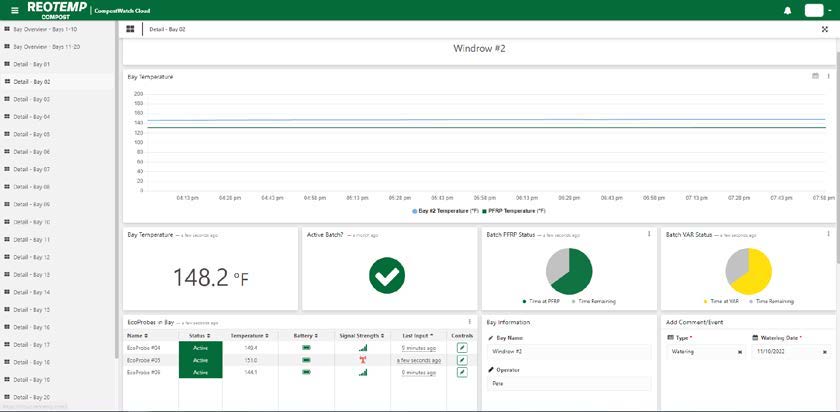
Site overview, CompostWatch.
The full story of one batch
Live graph, current temperature, batch PFRP and VAR status, and the probes assigned to the pile with battery and signal strength. Log a turning or watering event and it lands on the report.
- Temperature history with adjustable range and export
- Add turning, watering and comments with a timestamp
- Record feedstocks and the operator on duty
- Start and end batches from the field
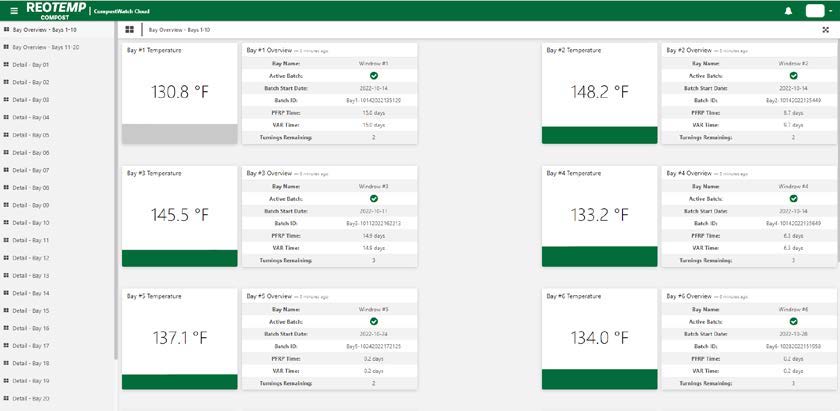
Bay detail, CompostWatch.
Text and email alerts
Set high and low temperature alarms per pile or per material. Get a text or email the moment a threshold is crossed, so a stalled pile or an overheating load is caught early.
Automated reporting
End a batch and the report is generated and saved: daily temperatures for up to 90 days, a temperature graph, operator, feedstocks, comments, and PFRP and VAR completion. Railcar batches also produce a CSV of every reading.
Any device, no install
The dashboard is a web app. Open it on a phone in the loader cab, a tablet on the pad or a desktop in the office. Unlimited users per account.
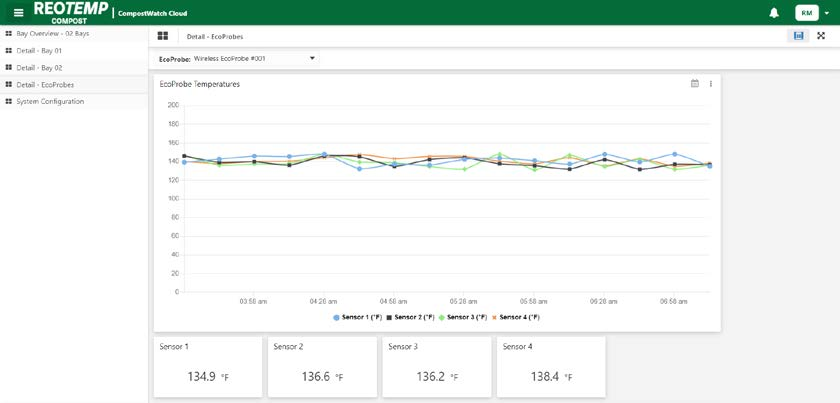
Sample report. Compost PDF or Railcar PDF
The report your inspector already recognizes
Hundreds of operators submit CompostWatch reports for state compliance, OMRI and the California LGMA. Enforcement agencies use the same data. Railcar reports prove to your customers that a product never overheated.
- Batch ID, dates, operator and feedstocks on every report
- Daily temperatures with PFRP and VAR percent complete
- Comment log, including events such as power outages
- Archived automatically, downloadable any time
- Two years of temperature history, exportable to Excel or CSV whenever you need it
Built for the terminal, not just the pad
- Terminal overview of every monitored railcar
- Material library with target and alarm temperatures
- Choose average, maximum or minimum of the sensors as the car temperature
- Per-car batch controls, comments and report history
- Dynamic data transmission accelerates readings near target temperature
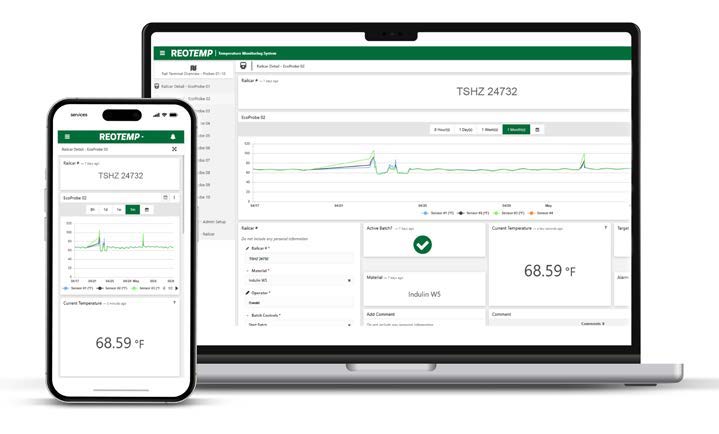
Railcar detail, RailcarWatch.
Talk to an expert today
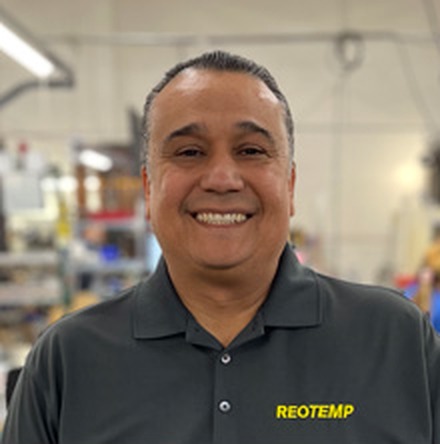
Schedule a convenient consultation with our Business Development manager Emilio Cervantes. We will walk through your data and reporting needs to generate a quote customized to your site.
Or call 888-457-2001 or email ecervantes@reotemp.com